 SoftGrid Labs
Hkimori
Servers, mail and computers — in one chat, for one person.
I wanted to stop checking five dashboards. Hkimori watches my servers, forwards only the emails that matter and remembers when my computers were online — all inside Telegram.
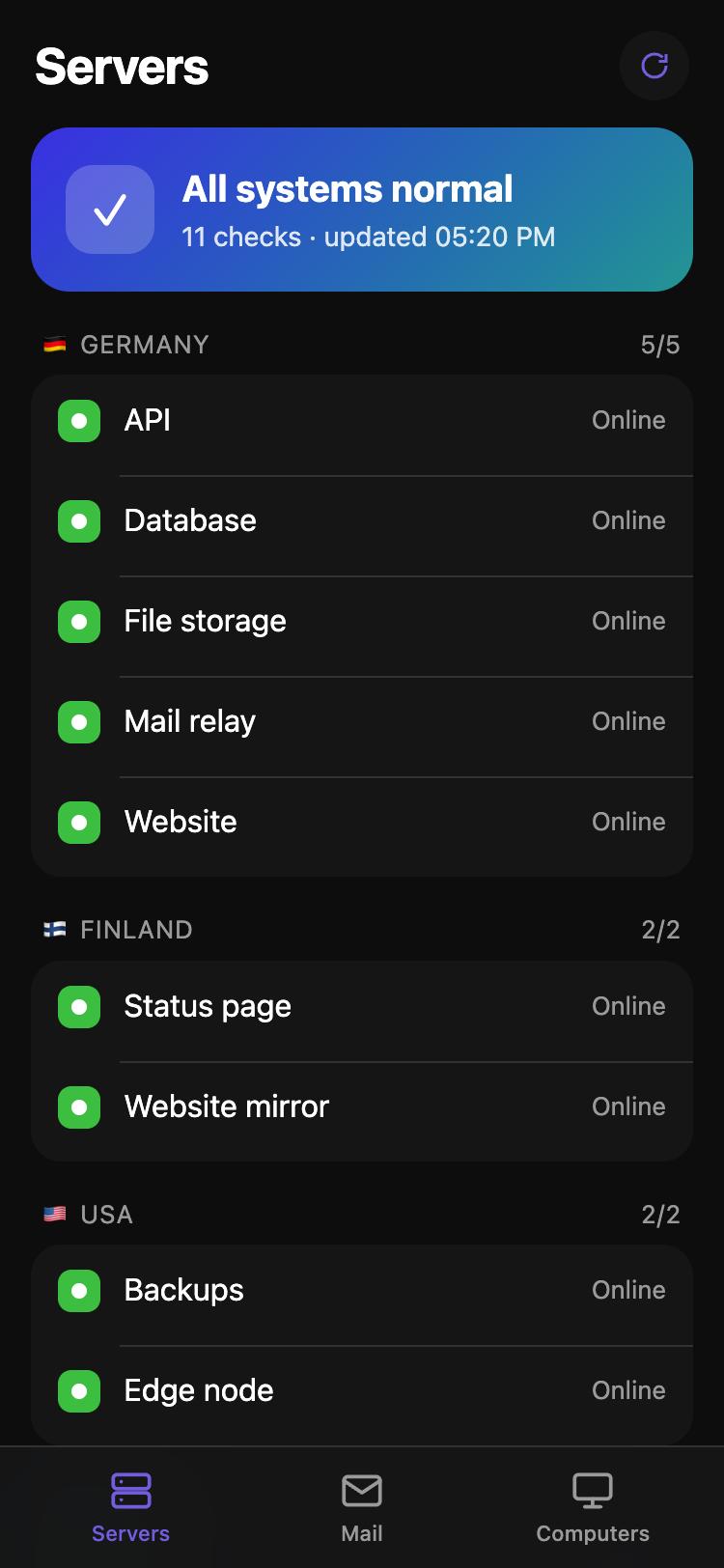
A message the moment a check goes down, and again when it recovers.
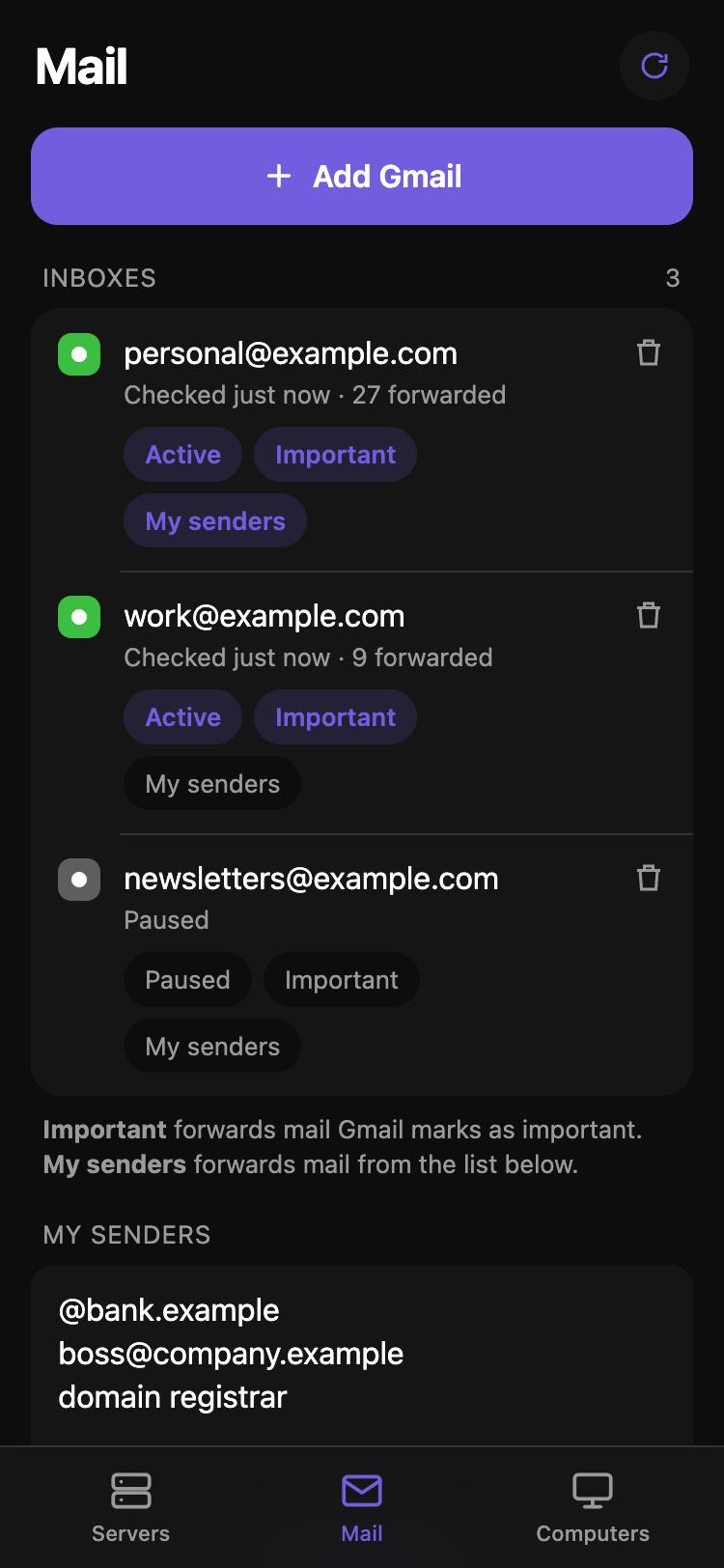
Several Gmail inboxes, filtered by Gmail's Important label or your sender list.
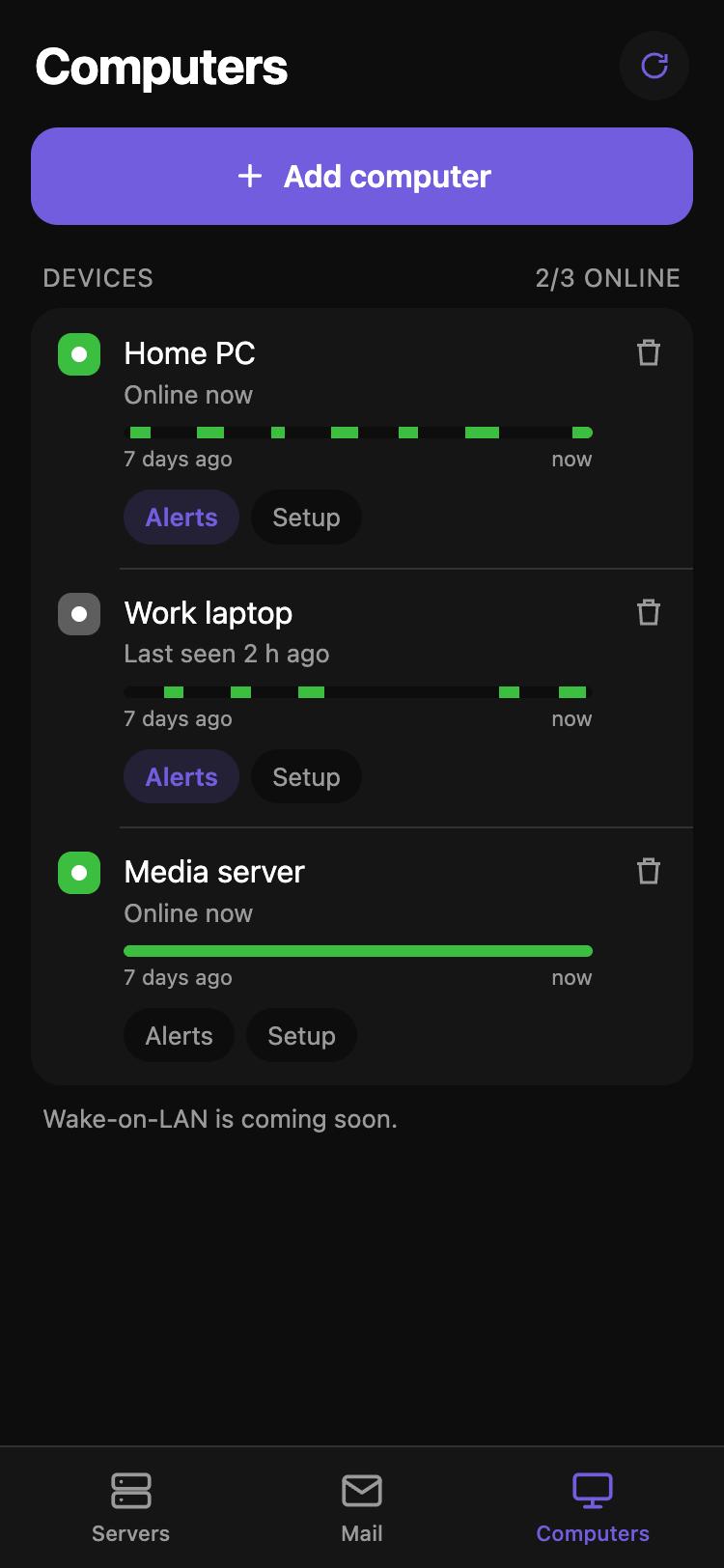
Who is online now and a week of activity per device.
Three tabs,
no dashboards.
A bot sends the notifications; the Mini App, opened from the chat, shows the details. It verifies Telegram's signature on every request and serves a single account.
Servers
Uptime checks · grouped by location
Every check from the monitoring service, grouped by server. One glance tells you whether everything is fine; if not, the failing checks are listed first and you already have a message in the chat.
Several Gmail inboxes · read-only
Connect any number of Gmail accounts with Google sign-in. For each new message Hkimori checks two things: did Gmail mark it Important, or is the sender on your list? If so, you get the sender, subject and a short preview with an “Open in Gmail” button. Everything else stays quietly in your inbox.
Computers
Heartbeat · 7-day history
Each computer runs one tiny command that says “I'm online” once a minute — no app, nothing else is sent. Hkimori turns that into an online/offline timeline and can tell you when a machine goes quiet. Wake-on-LAN is next.
Your data,
briefly.
The full documents live with the app: Privacy Policy and Terms of Service.
What Hkimori sees
- Gmail, read-only. Labels, sender, subject and preview of new inbox messages — only to decide whether to notify you. It can't send, delete or change email.
- Email content is not stored. A matching message is sent once to your own Telegram chat and not kept.
- Google tokens are encrypted at rest on a server in Germany.
- Computers only report the time they were online.
What it never does
- No selling or sharing of data, no advertising.
- No AI: Google data is not sent to AI services or used to train models, and no images or other content are generated from it.
- No other users: the app answers only to its owner's Telegram account.
- Remove an inbox in the app and its Google access is revoked immediately; you can also revoke it in your Google Account.