 SoftGrid Labs
Overdose
A launcher with sane defaults and no bloat.
I made it for myself: every version and mod loader in its own instance, mods installed for you, and more FPS without digging through settings.
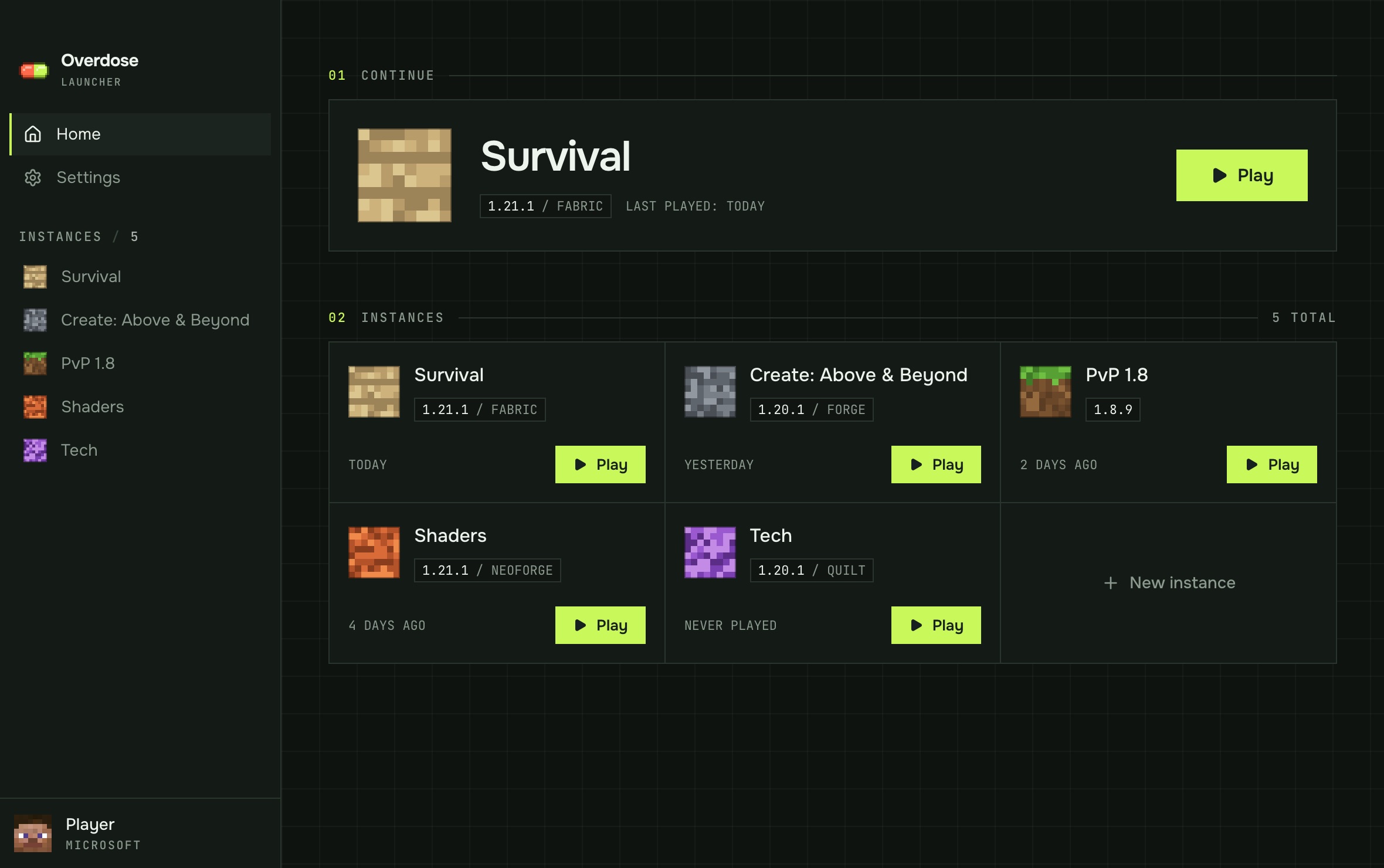
Vanilla, Fabric, Quilt, Forge, NeoForge.
Search, install, update, toggle.
Presets, memory and GC flags picked for you.
Everything your
instances need.
Written in Rust with Tauri. The launcher itself stays out of the way and leaves the memory to the game.
One folder per instance
Any version · any loader
Pick a version and a loader. Overdose downloads the game, the libraries and the right Java runtime from official sources. Your 1.8.9 PvP setup never touches your 1.21 modpack.
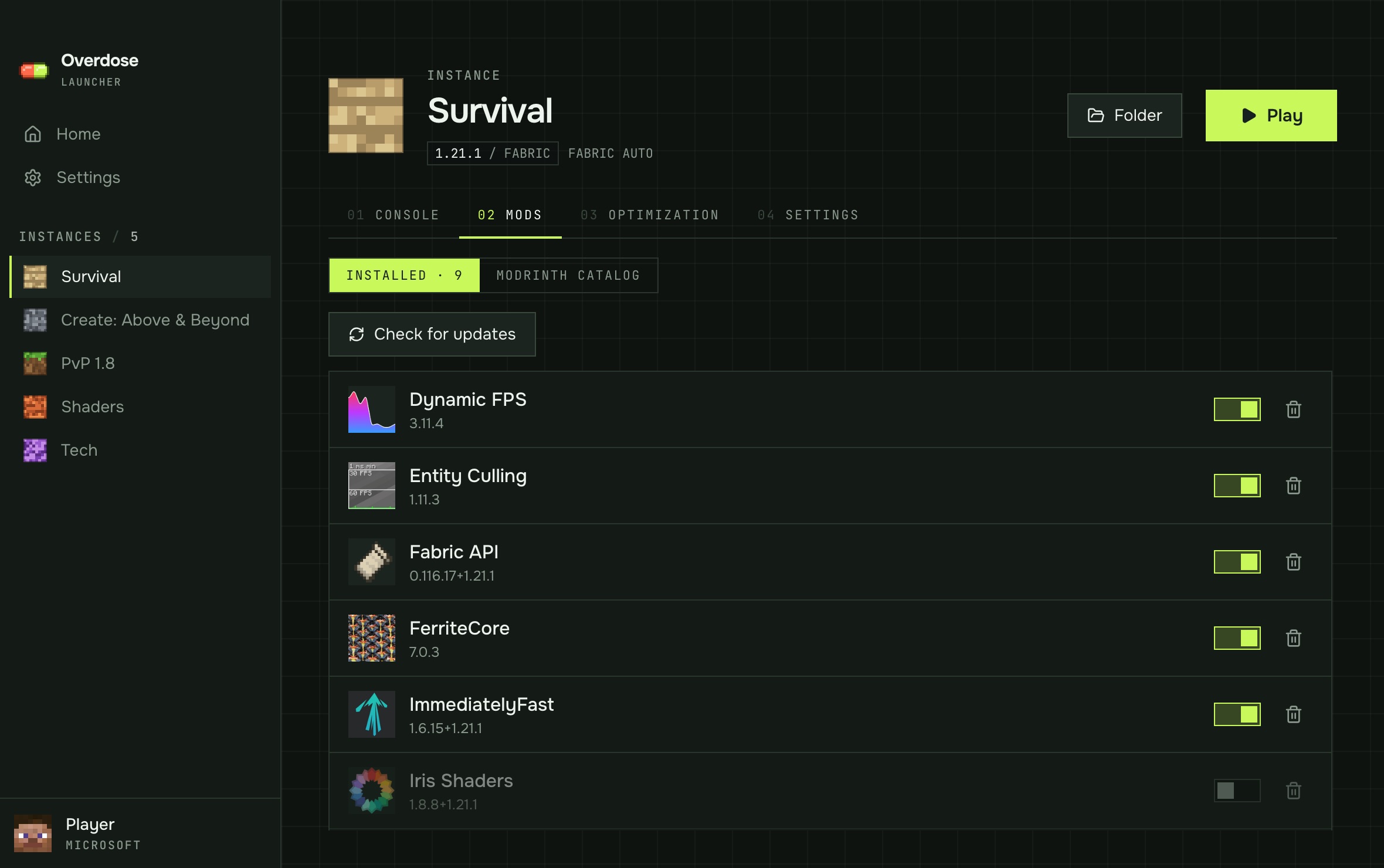
Mods without the hassle
Modrinth · dependencies · updates
Search Modrinth from inside the launcher. Required dependencies come along automatically, mods can be switched off without deleting them, and updates are one button.
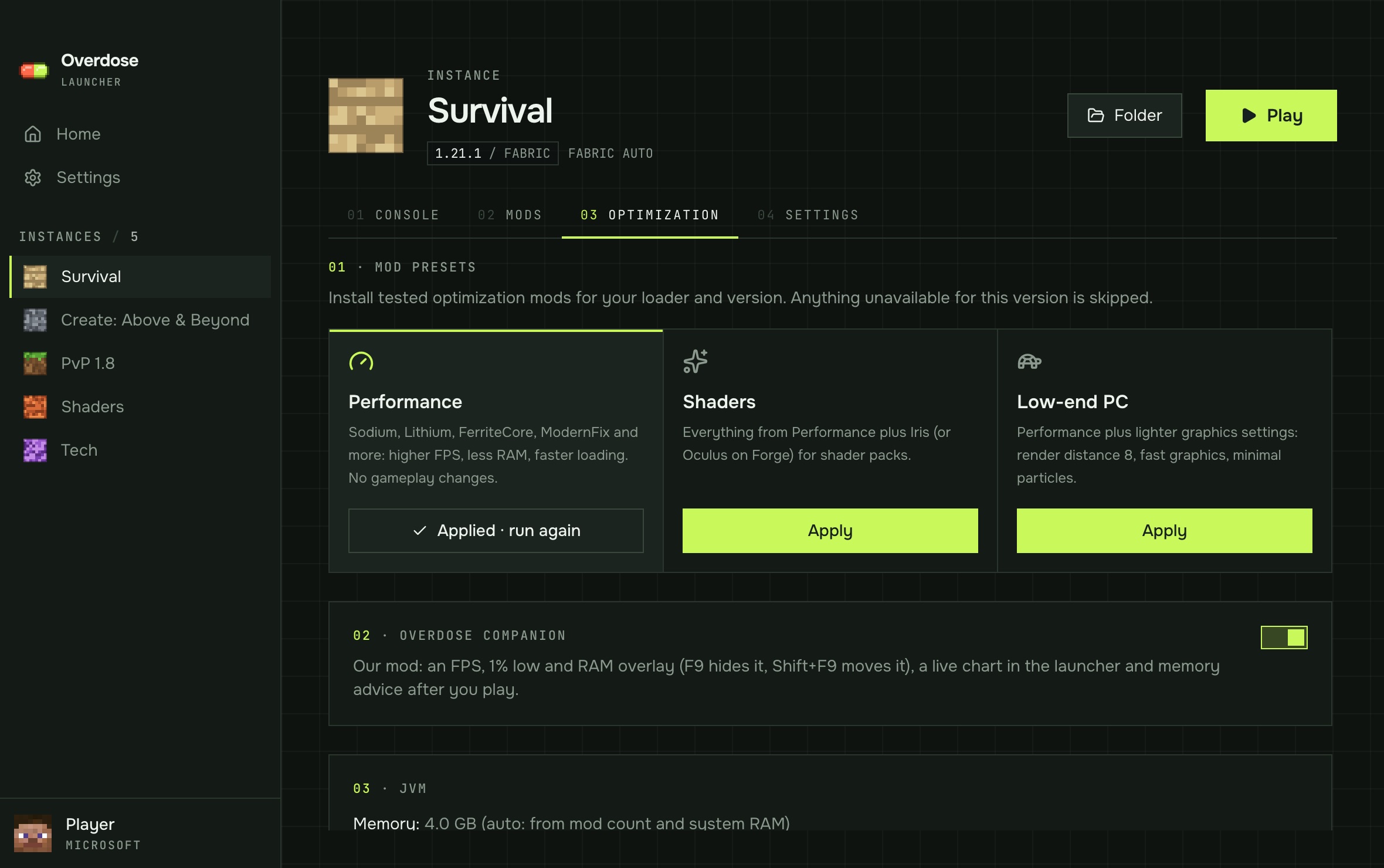
Performance presets
Performance · Shaders · Low-end
One click installs a tested set — Sodium, Lithium, FerriteCore, ModernFix and friends — for your loader and version. Memory and garbage-collector flags are chosen from your RAM and mod count.
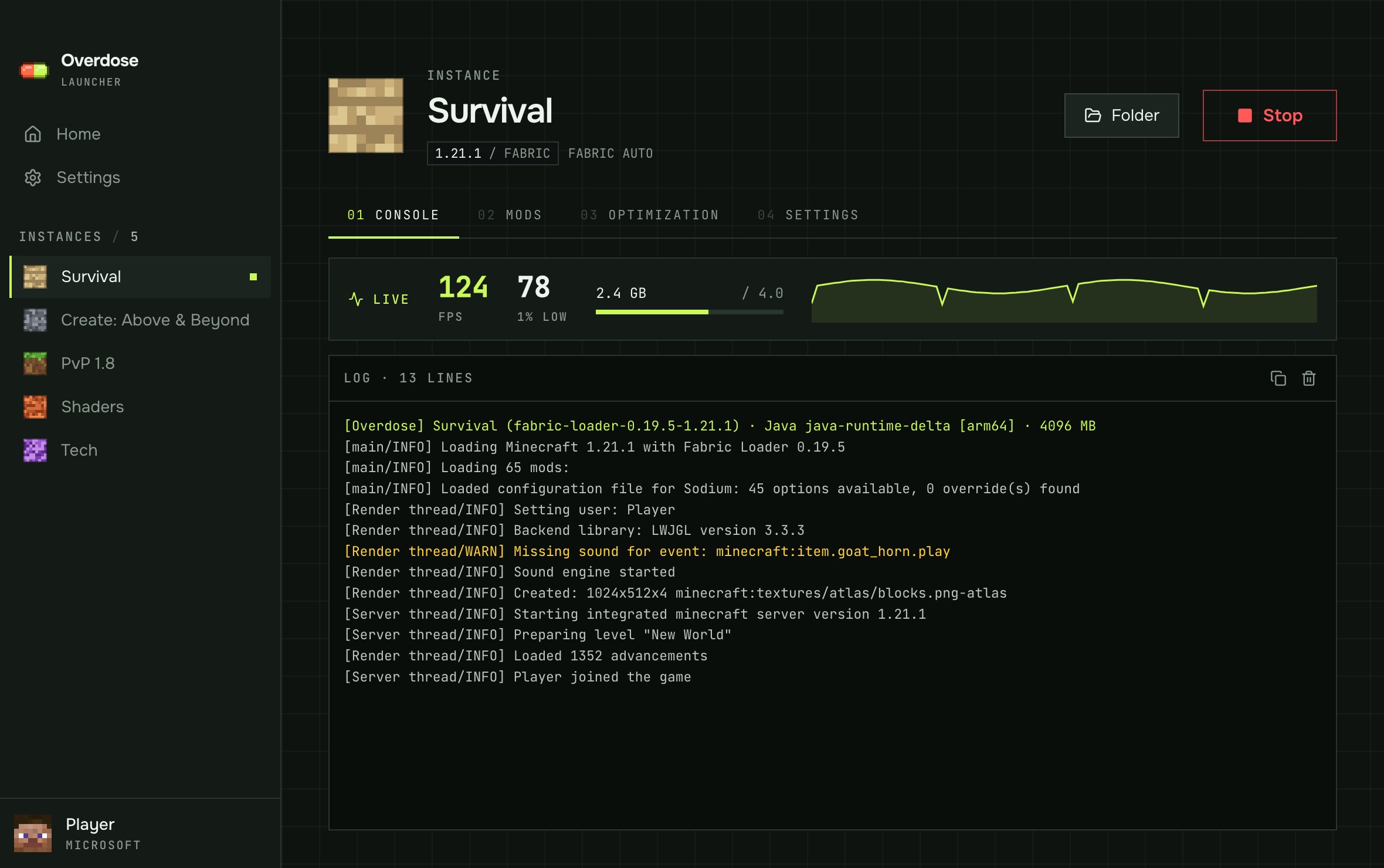
See how it actually runs
Companion mod · 1.21.1
A tiny mod for Fabric, Quilt and NeoForge shows FPS, 1% lows and memory in a corner of the screen (F9 hides it), streams the numbers to a live chart in the launcher, and after you quit tells you whether the instance had too little or too much memory.
Sign-in &
privacy.
Overdose only talks to official Microsoft, Xbox Live and Minecraft services to sign you in.
How sign-in works
- You sign in on Microsoft's own page with a device code. The launcher never sees your password.
- The Microsoft token is exchanged for Xbox Live and XSTS tokens, then for a Minecraft token via
login_with_xbox. /minecraft/profileis read to get your username and UUID and to check that the account owns Minecraft: Java Edition.- The game starts from official Mojang files. Accounts without the game can't play.
Privacy
- No servers, accounts or analytics of our own. The launcher has no backend and collects no telemetry.
- Tokens stay on your computer, in the system keychain, and are only sent to Microsoft, Xbox Live and Minecraft services.
- Only public profile data is used: your Minecraft username and UUID.
- Other services the launcher contacts: Mojang (game files), Modrinth (mods), Fabric, Quilt, Forge and NeoForge (mod loaders).
- Companion mod stats (FPS, memory) go only to the launcher on the same computer over
127.0.0.1and are never uploaded. - To remove everything, sign out in Settings and delete the Overdose data folder.